Module Prompt
This module will familiarize you with, and give you some practice in, applying one of two design frameworks. You will choose either Design Thinking (Empathize, Define, Ideate, Prototype and Test) or the 4 Cs Framework (Critical Thinking, Communication, Collaboration, and Creativity). To gain some practice using the design framework, you will consider making revisions to an Hour of Code activity to better align it with the intentions of your chosen design framework.
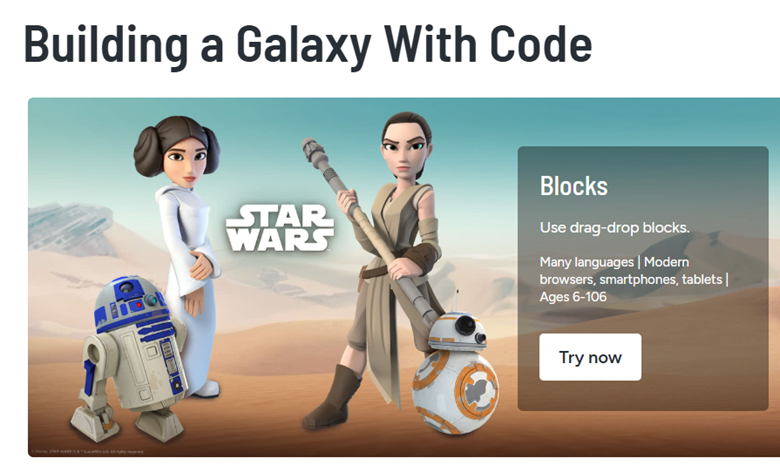
For this module, I chose to apply the Design Thinking framework: Empathize, Define, Ideate, Prototype, and Test, to the Hour of Code activity: Star Wars: Building a Galaxy with Code. Here is a reflection on the experience.
Empathize
As I worked through the Star Wars coding activity, I took on the role of both learner and designer. In the Empathize phase, I considered how students might experience this tutorial. The interactive nature, familiar characters, and game-like structure would be engaging for many students, but I imagined a few learners might struggle if they’re new to typing code or have limited exposure to JavaScript syntax. There were several times that even I had to re-read the directions and make multiple attempts to complete the level. I also considered the needs of multilingual learners and students who benefit from more structured collaboration.

Define
During the Define phase, I pinpointed a core challenge: while the activity offers independent practice in sequencing and events, it lacks built-in moments for reflection, peer dialogue, or personal creation until the end. The learning conditions favor quiet, individual engagement rather than the social, iterative creativity we often aim for in design-based learning. It would have been nice to celebrate with a peer or get help from someone else at various levels. My husband walked in a one point and I showed him the lesson and he jumped in and helped me through a difficult level!

Ideate
Next, I moved into the Ideate phase, brainstorming revisions to the activity. I considered these questions: What if I added opportunities for students to co-design missions using their own characters? What if there were reflection checkpoints built into the code levels, asking students to pair up and explain their logic before moving forward? Could we build in a collaborative design sprint at the end where students remix their final Star Wars games in small teams?
Prototype
In the Prototype stage, I started to brainstorm ways to make the game more collaborative where students still work through the Code.org challenges but pause every 3 levels to “code-pair,” explaining their decisions and debugging with a peer. This is where I started to draft the changes to this lesson as noted in the lesson revision.

Test
While I haven’t yet Tested this revision in a live classroom, I anticipate that these changes could shift the experience from skill acquisition to a fuller, student-centered design process. The activity becomes less about finishing a tutorial and more about building something meaningful. This process reminded me of Couros’ emphasis on empowering students to be creators, not just consumers. By bringing Design Thinking to this Hour of Code lesson, I’m working to unleash student talent in ways that are both imaginative and rooted in real computational thinking.
Here is the PDF of the original lesson plan provided by code.org:
While I really enjoyed working through this lesson and feel it has a lot of good qualities, I reworked the lesson plan for Star Wars: Building a Galaxy with Code to align it more with the Design Thinking framework by including more collaboration and student reflection. These changes are also designed to make the phases more explicit throughout the lesson.
Empathize – Understanding User Needs
- Begin by watching a short video clip that introduces how coding can solve real-world problems. (these videos are included throughout the activity in code.org.
- In pairs, have students brainstorm who they think will play their Star Wars game and what those players might enjoy or struggle with (younger siblings, friends, classmates who are new to coding).
- Prompt: “What would make the game fun, accessible, and easy to use for someone else?”
- Create a quick empathy map (likes, needs, challenges, feelings of your user).

Define – Framing the Design Challenge
- Have students summarize the needs of their imagined users in one sentence.
- For example: “My user needs a game that’s fun but not too hard, and includes characters they like.”
- Post the design challenge for students: “Design a Star Wars-themed game that is fun, clear, and engaging for your user.”
Ideate – Generating and Sharing Ideas
- Students begin coding through the first few levels of the tutorial.
- After completing 3 levels, pause and have students partner up to brainstorm ways they could remix the game elements to better meet their user’s needs.
- Share ideas as a class and capture on a shared doc.
Prototype – Building the Game
- Students continue through the coding tutorial, now building with their user in mind.
- Encourage them to apply one or more of the remix ideas discussed earlier.
- When they reach the “Create Your Own Game” stage, students plan out their final level using a storyboard template before coding.

Test & Reflect – Getting Feedback
- Students pair up and swap games. Each player gives feedback:
- What was fun?
- What worked well?
- What could be improved?
- Students make final revisions based on this peer feedback.
Wrap-Up & Celebrate
- Invite a few volunteers to showcase their games and explain how they used the Design Thinking process.
- Celebrate with Hour of Code certificates.

By embedding Design Thinking into the activity structure, students don’t just learn how to code, they learn how to design with empathy, iterate on their work, and reflect deeply on the impact of their choices. This cultivates both computational skills and a creative, problem-solving mindset.